

For mobile apps

App explainer videos people watch to the end.

An app has seconds to earn a download. We show yours the way people will actually use it: on a phone, in context, one tap at a time, with the payoff on screen before the viewer's thumb moves on.

  • Phone-first framing and pacing
  • Website, store and social formats
  • Built from your real screens
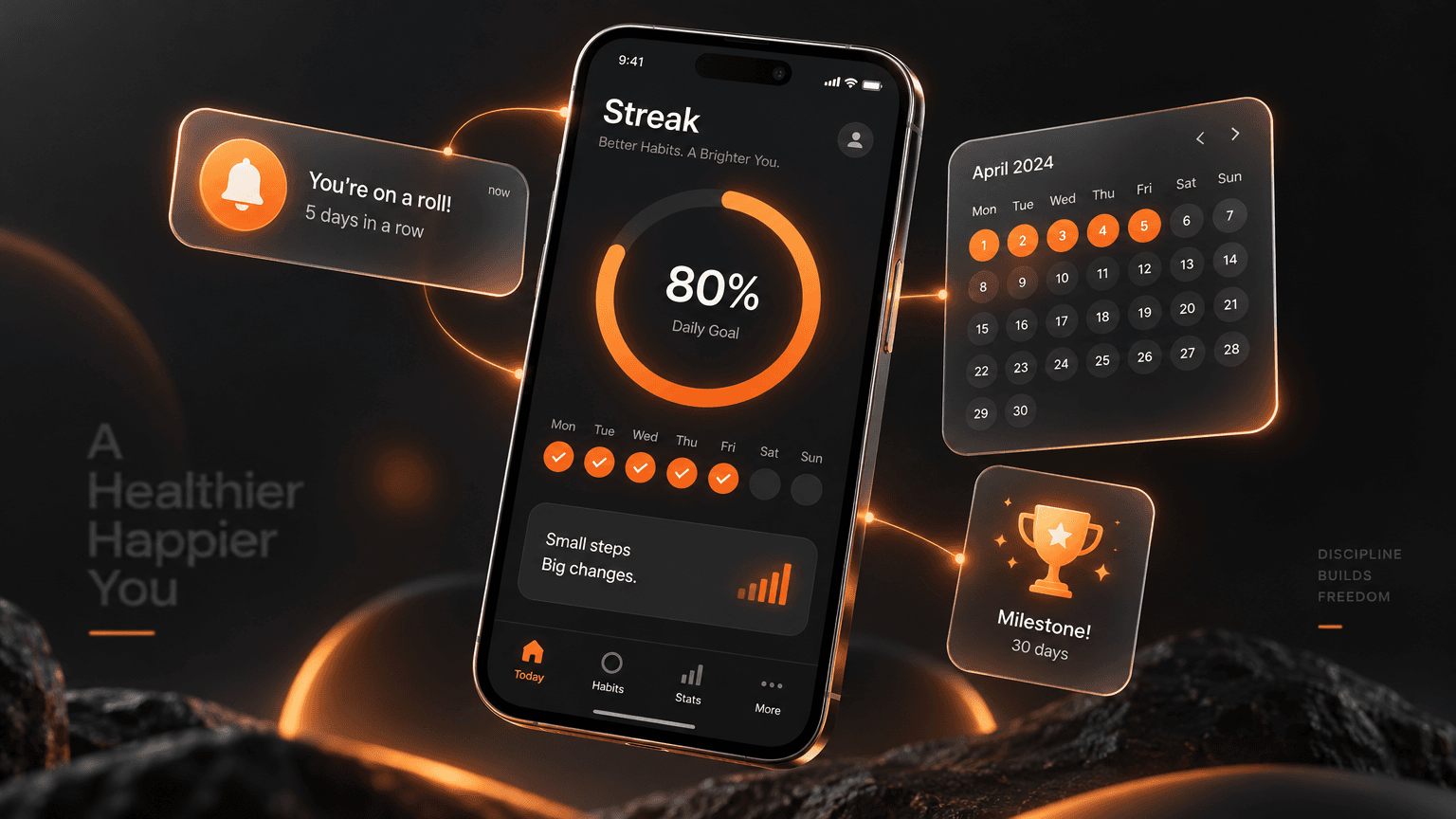
App explainer videos: Features burst out of the phone as they are mentioned, so the eye always knows where to look.Illustrative frame
Features burst out of the phone as they are mentioned, so the eye always knows where to look.

The example film, scene by scene

What this video looks like.

Every video we make is planned like this before a frame is produced, and you approve the storyboard first.

Plan mine
  1. App explainer videos: scene 1, The momentIllustrative frame
    01 · 0:00

    The moment

    A relatable everyday moment where your app would help: missed, late, forgotten, stuck.

  2. App explainer videos: scene 2, Tap to openIllustrative frame
    02 · 0:08

    Tap to open

    The phone fills the frame; the first screen does the explaining.

  3. App explainer videos: scene 3, Three winsIllustrative frame
    03 · 0:18

    Three wins

    Each core feature bursts out of the screen as a card: reminder, progress, reward.

  4. App explainer videos: scene 4, DownloadIllustrative frame
    04 · 0:45

    Download

    End on the app icon, the store badges and one line of value.

Made for the way apps are discovered

People meet apps on a website, in a store listing or in a social feed, usually with the sound off and a thumb ready to scroll. So we design for the phone first: big readable UI, captions that carry the story, and a payoff early enough that a viewer who leaves at 15 seconds still knows what the app does.

We build the film from your real screens, redrawn as animation layers, and stage them on device mockups or in simple illustrated scenes, whichever fits your brand.

One film, every format

From the same project we deliver a landscape version for your website, vertical versions for Reels, TikTok and Shorts, and a cut shaped to app store preview requirements. Because it is one SurgeScribe project, every version stays perfectly in sync when you change a line or a screen.

  • Website hero (16:9)
  • Social vertical (9:16)
  • App store preview cut
  • Launch teaser (6 to 15 seconds)

Apps we explain best

Consumer apps with a clear daily habit (fitness, finance, learning, productivity), marketplace apps that need to explain both sides, and B2B companion apps where the mobile experience is the selling point.

What you get

  • 45 to 75 second app explainer
  • Vertical social versions with captions
  • App store preview cut on request
  • Device-mockup stills for your listing and site
  • Script and storyboard

Produced on SurgeScribe

Our own engine, so revisions never break what you approved.

Most AI video tools generate a fresh take every time you ask for a change. We built SurgeScribe to work the other way: every scene is exact, every change is precise, and every version is kept.

See exact frames before it renders

Every scene is built as a validated document on SurgeScribe, so the frames you approve in preview are the frames in your final film. No surprises at delivery.

Revisions change only what you asked

Your note becomes one precise edit. The rest of the film does not move, re-roll or drift, so approving something means it stays approved.

Your brand, locked in

Logos, colours, fonts, voices, characters and music live in one brand library, so every video you order looks and sounds like the last.

Every version saved

Each revision is kept and restorable. Update a screen next quarter or bring back last month's ending without starting over.

How it works

From your first message to final files.

  1. 01

    Brief

    You fill in the form. We reply with questions, a plan, a timeline and a fixed quote.

  2. 02

    Script and storyboard

    We write the script to time and storyboard every scene. You approve before production starts.

  3. 03

    Preview

    We produce the film on SurgeScribe and send exact preview frames. Your notes become precise edits.

  4. 04

    Delivery

    Final renders in every format you need, plus the project kept for quick future updates.

Questions, answered.

Anything else? Ask in the form and we will answer with your quote.

Can you show the app on a real device?
We stage your redrawn screens on clean device mockups or in illustrated scenes. That keeps the UI crisp at every size and avoids glare, notifications and private data.
Do you make app store preview videos too?
Yes, as a separate cut from the same project, shaped to the store's requirements. See our app store preview video page for details.
Our app isn't launched yet. Can we still make a video?
Yes. We can work from designs or prototypes, which makes a pre-launch explainer ideal for a waitlist page.
Will it work with the sound off?
It is designed to. Captions and on-screen text carry the story, and the voiceover adds to it rather than being required.

Keep exploring

Tell us about your product.

A few lines in the form is enough. We reply with a plan, a timeline and a fixed quote.

App Explainer Videos for iOS and Android · SurgeScribe